
DR Tracking
DR Tracking is where teams record disaster recovery tests. Each record can include the system tested, test date, duration, outcome, notes, screenshots, engineer, and an optional Jira reference.
All platform modules
Resilience is where organisations run a disciplined maintenance and disaster recovery programme. It helps teams group infrastructure into systems, schedule maintenance windows, record DR test results, and track RPO targets in one place.
With dashboards, notifications, and optional Jira integration, it replaces scattered spreadsheets with a clearer view of status, history, and accountability.
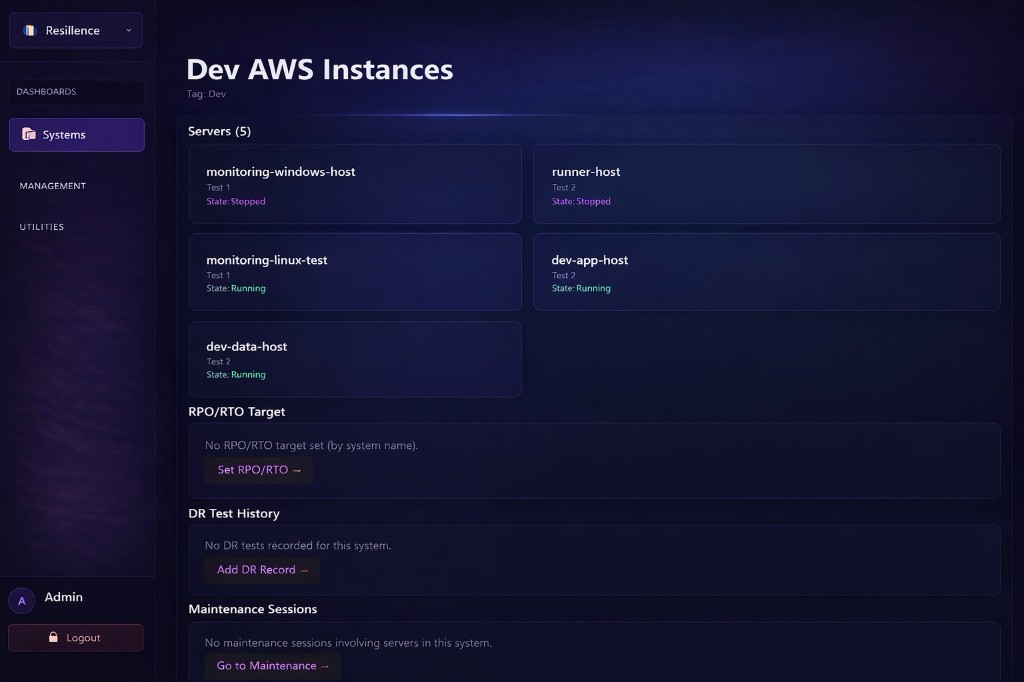
Resilience Projects let you organize resilience work by team, customer, or environment. Create a project, connect your cloud accounts to it, and Resilience will discover servers from AWS and tie them to that project.
Maintenance sessions and views are scoped to the project you’ve selected, so you’re always looking at the right systems.
You can keep a project open to everyone in your org, or restrict it to specific people for sensitive workloads.
Scope for systems and maintenance
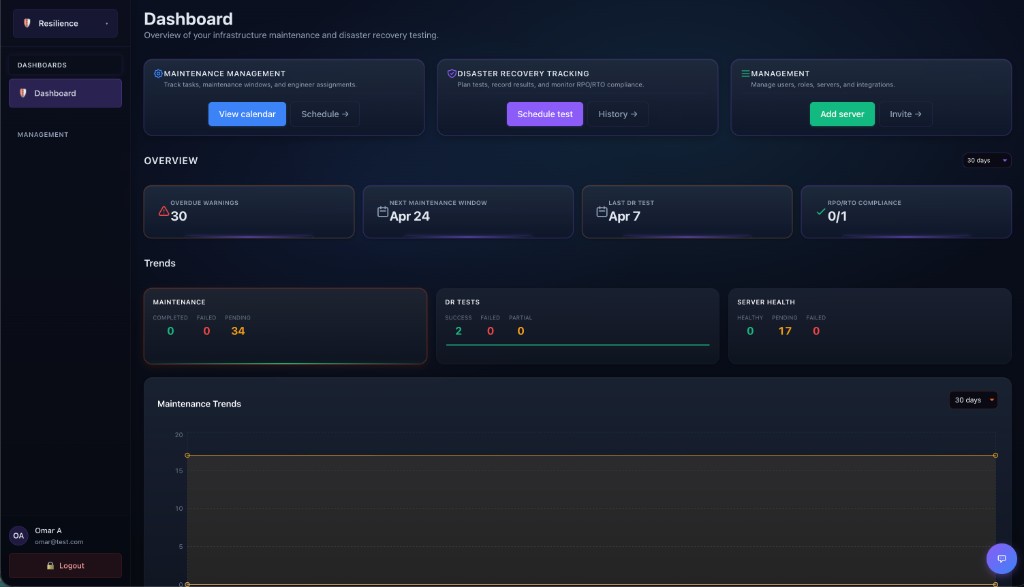
Windows, servers, and reporting
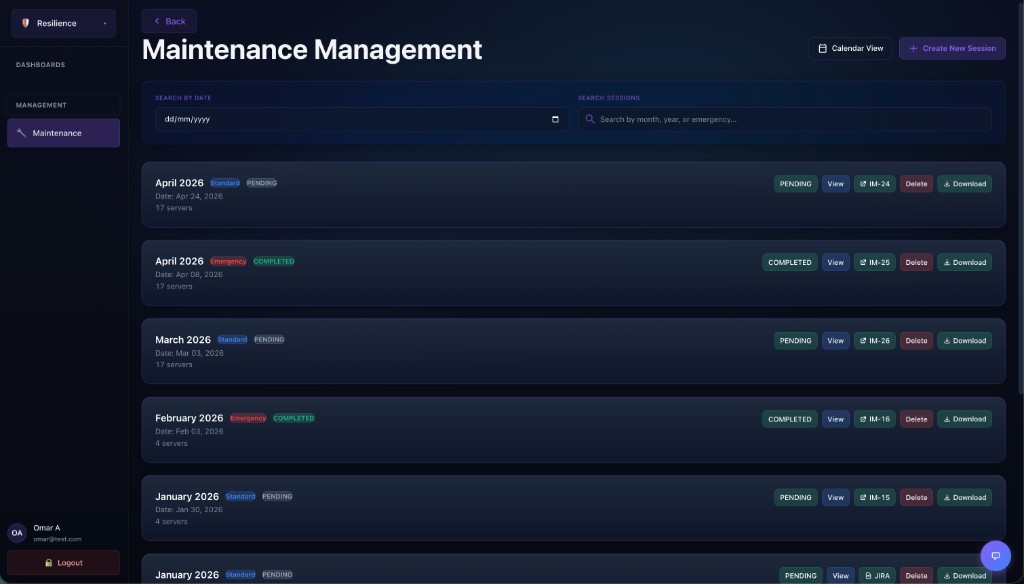
Maintenance helps teams plan, manage, and track maintenance windows. Sessions can be created for specific dates, servers can be assigned, per-server status can be updated, and teams can filter upcoming or overdue work, download reports, and link activity to Jira tickets.
From DR records to RPO targets and administration: structure resilience work the way your teams operate.
DR Tracking is where teams record disaster recovery tests. Each record can include the system tested, test date, duration, outcome, notes, screenshots, engineer, and an optional Jira reference.
RPO Targets allow teams to define recovery expectations for systems and use them in compliance and dashboard views, making it easier to understand whether recovery goals are being met.
Systems are logical groups of servers with details such as name, tier, and owner. They provide the structure for DR history, RPO and RTO views, and broader resilience tracking.
Management is the setup area for resilience administration. It includes user and server management, links to projects and systems, Jira integration, support bot configuration, and notification preferences where available.
Create projects for visibility and scope, group servers into systems with tiers and owners, and align resilience work to your organisation.
Plan maintenance windows, track execution, link to Jira when needed, and capture DR test outcomes with the detail auditors and engineers expect.
Define RPO targets, surface compliance-friendly views, and use the management hub for users, servers, integrations, and notifications.
Book a demo to align maintenance, DR tracking, and RPO reporting with how your teams work today.