Inventory
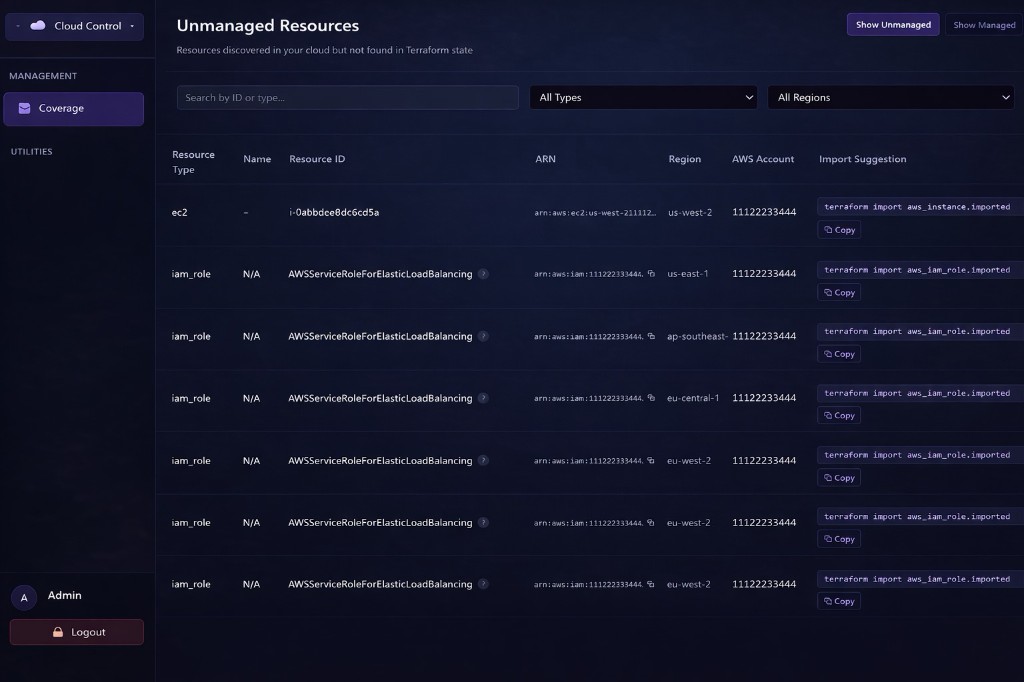
Inventory shows the live cloud resources discovered for a project, with filters for type, region, and search, giving teams a clear view of what actually exists right now.
All platform modules
Cloud Control is the central place for managing projects, cloud connections, discovery, and Terraform-based infrastructure workflows. It helps teams connect AWS accounts, discover live resources, compare them against expected state, and understand what is managed, unmanaged, or drifting.
It gives operators confidence in the latest discovery and ingestion results before they rely on inventory, coverage, drift, and the wider governance workflow.
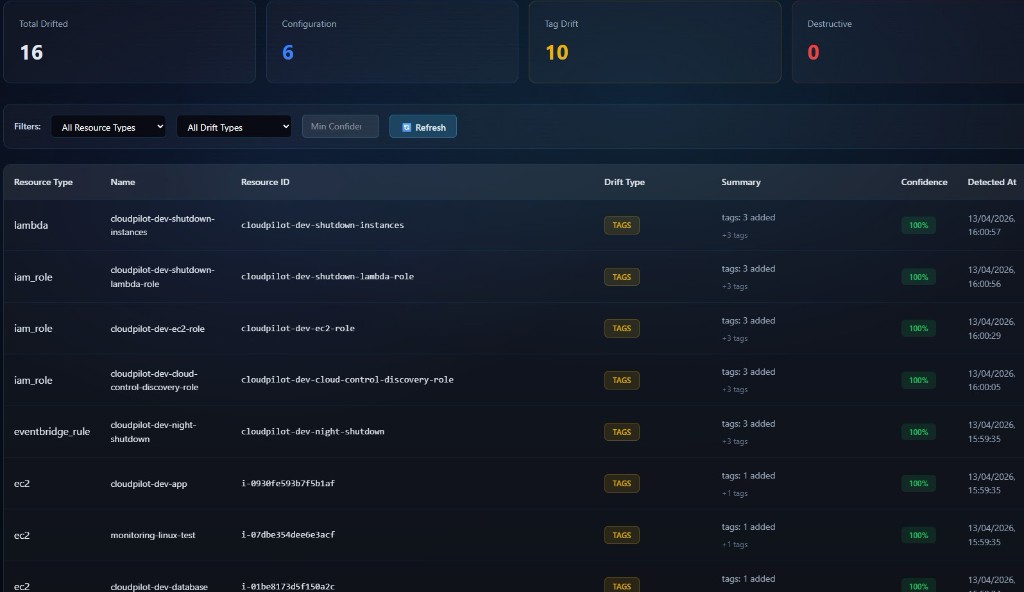
Drift highlights where live infrastructure no longer matches expected state, surfacing configuration, tag, destructive, and missing-resource changes with context to support faster triage.
Confidence, context, and triage
Expected ownership vs live inventory
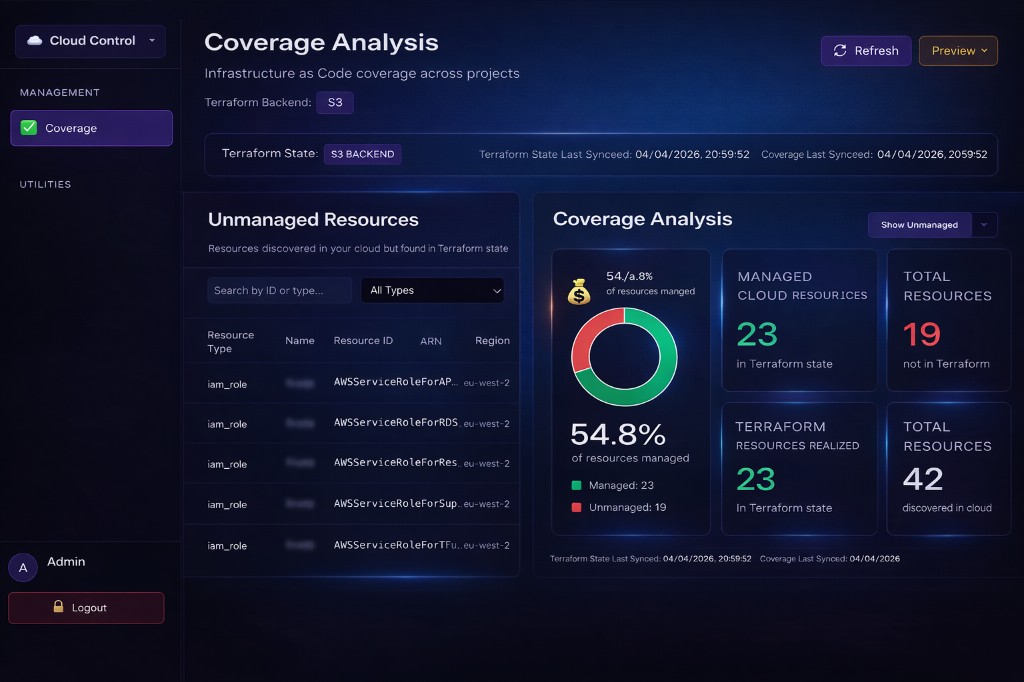
Coverage compares live cloud inventory against declared or expected ownership, typically through a connected Terraform state when that workflow is in use. It highlights managed, unmanaged, and orphaned resources, with confidence indicators where available, and supports recomputing results after discovery runs or state updates.
The experience is designed to make IaC gaps and stray resources visible as a clear coverage story through charts and guided lists, rather than leaving teams to interpret raw resource rows on their own.
From canonical inventory to drift and alerts, each view stays tied to how Cloud Control discovers and reconciles your cloud estate.
Inventory shows the live cloud resources discovered for a project, with filters for type, region, and search, giving teams a clear view of what actually exists right now.
Drift highlights where live infrastructure no longer matches expected state, surfacing configuration, tag, destructive, and missing-resource changes with context to support faster triage.
Activity provides a single chronological feed of drift, alerts, discovery, and coverage events, so teams can track what changed, what ran, and why something triggered in one place.
Cloud Sources is where teams register and verify cloud account connections, then attach them to the right projects so discovery and coverage run against the correct scope.
Alerts lets teams configure project or global drift notifications, deduplication, suppressions, scheduled reports, and delivery testing so alerts stay actionable and relevant.
Connect cloud accounts through Cloud Sources, attach them to projects, and define how discovery and visibility should run for each scope.
Run discovery and inventory refreshes, connect Terraform state when you use that workflow, and confirm job-style status from Overview before relying on downstream views.
Use Inventory and Coverage for the live picture, Drift for gaps and changes, Activity for the narrative across events, and Alerts to keep signal actionable.
Book a demo to walk through Overview, Inventory, Coverage, and Drift mapped to your accounts, state, and teams.